NVIDIA GTC
- 3.6
- Rating
- 50.00K
- Installs
- Free
- Price
 Analysis by App-foxy
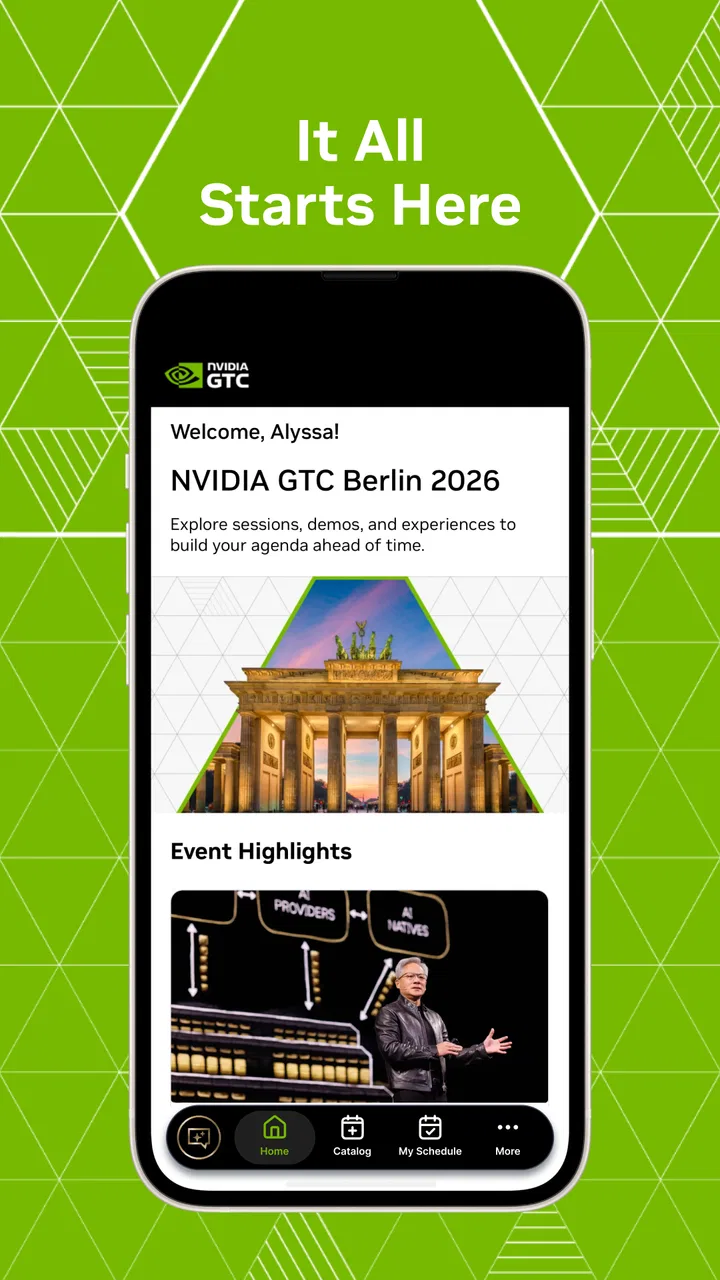
I approached NVIDIA GTC as a companion for following NVIDIA’s GTC event rather than as a general technology-news app. That distinction matters. It is a free Events app from NVIDIA, aimed at people who want event information close at hand while they are preparing for, attending, or catching up with the conference. My overall impression is practical: it can reduce the need to keep searching through a browser, but its usefulness depends heavily on whether GTC is already relevant to your work or interests.
The app has an Everyone content rating, so it is suitable for a broad audience. It runs on Android versions eleven and newer, and the current version is 10.0.6. NVIDIA released it on February 1, 2024, and it has passed fifty thousand installs. Those figures suggest a focused event audience rather than a mass-market social platform. That is not a criticism; an event companion should be judged by how well it supports a conference workflow, not by how much time it can fill.
How I used it as a GTC companion
My baseline workflow was simple. I treated the app as a central place to orient myself around GTC, then used it at the moments when an event app is most useful: before deciding what to follow, while checking what comes next, and after a session when I wanted to continue exploring the event. This is a better mindset than opening it casually and expecting a full technology portal.
You May Also Like

 Blood Strike: 2.5 Anniversary
Blood Strike’s Loadouts Turn Every Drop Into a Tactical Gamble
A close look at Blood Strike’s custom loadouts: how fast access to signature weapons reshapes its battle royale rhythm, rewards preparation, and narrows the gap between fights.

 Pandora - Music & Podcasts
Pandora’s Music Is Easy to Start, but Harder to Recover
Pandora’s strength is its low-effort path from a seed to a station. Its weak spot is how much confidence it asks you to place in connection, setup, and quiet recovery.

 8 Ball Pool
 Is Built on Rivalries, Rematches, and Routine
A close look at the rivalries, rematches, shared routines, and unanswered safety questions that turn a quick pool match into a persistent mobile community.

 Samsung Music
’s Quiet Strength Is Playing What You Already Own
Its reach comes less from spectacle than from dependable access to a personal library. That simplicity is both the app’s strongest retention engine and its ceiling.

 AccuWeather: Weather Radar
AccuWeather Review: A Quick, Clear Forecast for Everyday Decisions
For everyday plans, the best forecast is the one you can understand quickly. AccuWeather makes rain timing, radar, and local conditions easy to act on, with a few trade-offs.

 Hill Climb Racing
Why Hill Climb Racing Still Turns Crashes Into One More Run
A tiny car, a bumpy hill and one more upgrade: Hill Climb Racing keeps resurfacing because its simple chaos makes every near-miss feel personal.
More From Our News Desk



The main advantage is concentration. Instead of juggling a browser tab, saved pages, email reminders, and scattered notes, an event-specific app gives the conference its own working space. That can be valuable when several sessions or topics compete for attention. I found the app most convincing when I wanted to stay connected with GTC itself, not when I wanted unrelated news, broad developer documentation, or a replacement for a video platform.
A realistic everyday scenario would be preparing for a busy conference day during a short break. I could open the app, check what I intended to follow next, and make a quick decision without searching the wider web for GTC pages. Later, I might return to the same event context instead of reconstructing it from memory. This kind of small saving becomes more useful when the schedule is crowded or when I am moving between work and event activities.
That workflow also reveals an important limitation: the app is not automatically a complete planning system for every attendee. I would still keep personal commitments, meeting times, travel details, and private notes somewhere else. An event app can help me understand the conference, but it does not replace my own calendar or task list. The most reliable approach is to use it as the event layer and keep personal logistics in the tools already designed for them.
What the focused design gets right
NVIDIA is the developer, and the app feels purpose-built around the company’s flagship event rather than stretched into a general-purpose community product. That focus is useful for readers who already know why they are opening it. A developer, researcher, technical manager, student, or technology enthusiast can approach it with a clear question: what is happening at GTC, and how do I keep track of the parts that matter to me?
I also like the difference between an event companion and a normal mobile website. A browser is flexible, but it encourages tab clutter and makes it easy to lose the page you were using. The dedicated app creates a more deliberate habit: open it when you are dealing with GTC, close it when you are done. For a short-lived conference workflow, that clarity can be more useful than a larger feature set.
On the other hand, people who only want occasional announcements may find the app unnecessary. A browser search can be faster for a single fact, especially if you are not attending or following multiple sessions. Likewise, someone looking for NVIDIA product support, driver information, or a broad feed of industry news should choose a more appropriate NVIDIA or technology resource. The app’s value comes from event context, not from trying to cover every NVIDIA-related need.
Settings and preparation that are worth checking
Before relying on any event app, I would spend a few minutes checking the phone’s notification behavior and the app’s available preferences. The useful question is not simply whether notifications exist; it is whether they fit the way I plan to use GTC. If I am actively following the event, timely prompts may help. If I am only browsing occasionally, excessive alerts could turn a helpful companion into background noise.
I would also check the device’s battery and network habits before a long day. Event apps are often opened repeatedly, and switching between sessions, pages, and other conference tools can be harder on a phone than a quick glance suggests. Keeping the app available, while avoiding unnecessary background activity elsewhere, is a sensible balance. I would not assume that every important detail should be available offline, so I would review essential information before leaving a dependable connection.
Another useful preparation step is deciding how I will record decisions. If the app helps me identify a session or topic worth revisiting, I would capture the follow-up action immediately in my normal notes or calendar. This prevents a common event mistake: confusing “I saw this in the app” with “I have actually saved the information I need.” The app can support discovery, while a separate system protects the result.
For a first-time user, I would begin with a narrow goal. Choose one area of GTC that matters, explore how the app presents it, and only then broaden the search. This is more efficient than trying to absorb the entire event at once. It also makes it easier to notice whether the app’s organization matches your way of thinking. Some users prefer browsing by topic, while others want a chronological plan; your experience will depend on which approach feels natural in the current event layout.
Faster patterns for repeat use
Experienced users usually gain more from repeatable habits than from constantly exploring every screen. My preferred pattern would be to open the app at the start of an event session, identify the next useful item, and leave with one clear follow-up action. That action might be saving a reminder elsewhere, noting a speaker or topic, or marking a question to investigate later. The important part is closing the loop instead of passively scrolling.
A second pattern is to separate discovery from review. During a busy period, I would use the app for quick orientation and avoid trying to read everything in depth. Later, when I have more time, I would return to the items that survived that first filter. This two-stage approach reduces decision fatigue and makes the app more useful for people who cannot follow GTC continuously.
I would also keep a small personal shortlist rather than attempting to remember every interesting item. An event can produce too many possibilities, and an app can make that problem worse by making discovery easy. The practical trade-off is accepting that a shorter list is more actionable. If I leave the app with a few concrete follow-ups instead of a large collection of vague interests, the overall experience feels more successful.
For teams, the app can fit into a lightweight shared routine. One person can use it to identify relevant event material, while colleagues add their own notes in the team’s existing workspace. I would not treat the app as the team’s permanent knowledge base. Its strength is helping people find and coordinate around GTC; long-term documentation belongs somewhere searchable and controlled by the team.
This is also where the app compares favorably with ordinary browser use. A browser is better for open-ended research and cross-checking many sources, but the dedicated GTC context is less distracting. Compared with a calendar alone, the app can provide event-specific discovery rather than just reminders. Compared with a general social feed, it is more focused and less dependent on an algorithm deciding what deserves attention. Each alternative remains useful, but for different jobs.
Where the experience becomes less comfortable
The average rating is 3.3 from around one hundred ratings, with twelve written reviews. I read that as a sign to keep expectations measured rather than as a reason to dismiss the app. Event applications are judged during high-pressure periods, when people want fast loading, clear organization, and dependable access. A small point of friction can feel much larger when someone is trying to make a decision between sessions.
The app’s narrow purpose is both its strength and its boundary. If GTC is central to your work, the focus makes sense. If you are only mildly curious about NVIDIA, installing a dedicated event app may add another place to check without providing enough ongoing value. I would especially hesitate if my main goal were general education, product troubleshooting, or monitoring the wider artificial-intelligence industry.
There is also a practical distinction between reading event information and managing an entire conference day. I would not rely on the app alone for private appointments, transport, time-zone planning, or personal reminders. Even a well-designed event companion cannot know the commitments that exist outside the conference. Keeping those details in a calendar avoids the risk of mistaking event information for a complete itinerary.
Another trade-off is attention. A focused event app can make it easier to stay within GTC, but it can also encourage over-collection: more sessions, more subjects, and more things to revisit. My advice is to decide in advance what success means. If the goal is to find a few relevant sessions, stop once that is done. If the goal is broad exploration, reserve time afterward for sorting notes. The app cannot make an overloaded schedule manageable by itself.
Device fit and who should install it
Android users need a device running version eleven or newer. That requirement is reasonable for many current phones, but it immediately excludes older hardware. I would check the operating system before planning to depend on the app during GTC. If the phone cannot run it, a browser-based route may be the more practical fallback, especially for someone who only needs occasional access.
The free price removes the biggest barrier to trying it. Still, free does not mean universally useful. I would recommend it to people attending GTC, following NVIDIA’s event closely, or needing a more organized mobile route into conference information. It is also a sensible option for someone who wants to explore the event from a phone without mixing it into a general news-reading routine.
I would suggest skipping it if you want a permanent NVIDIA utility, a general conference directory, or an app that replaces your calendar and notes. It is also not my first choice for deep research. For that, I would move from the event app to official technical material, a browser, or a dedicated documentation workflow. The app is best at helping me stay connected to GTC, not at completing every task that begins there.
The Everyone rating makes it approachable for students and newcomers, but an accessible entry point does not remove the need to choose topics carefully. GTC can be broad and technically dense. A new user will get more from the app by starting with a clear interest than by treating the event as one giant stream of information.
My verdict after building a repeatable habit
After using it as an event companion, I see NVIDIA GTC as a focused utility rather than an app I would keep opening every day of the year. Its best quality is concentration: it gives GTC a dedicated place on the phone and supports a workflow built around discovering, checking, and revisiting event material. That is genuinely useful when the conference is part of my immediate plans.
My strongest recommendation is to pair it with three simple habits: check notification preferences before the event, keep personal scheduling in a separate calendar, and turn interesting discoveries into saved follow-up actions. Those habits address the main weaknesses of relying on an event app alone. They also make the app feel faster, because every visit has a defined purpose instead of becoming an endless browse.
The current version, 10.0.6, represents the version I would evaluate before installing, and the app’s free availability makes testing straightforward for eligible Android users. I would still judge it during the actual GTC workflow that matters to me: can I find the relevant event information quickly, return to it without confusion, and leave with something actionable? If the answer is yes, its focused design earns its place.
My final view is balanced. This is a useful event companion for people who already have a reason to follow GTC, not a general NVIDIA app for every situation. I would recommend it to attendees, technical professionals, learners, and dedicated followers who want a mobile-centered way to stay connected. I would choose a browser or another specialized tool when the need is broader, more permanent, or more personal than the conference itself.
FAQs for NVIDIA GTC
01What is NVIDIA GTC and what can I expect from using it?
NVIDIA GTC, or GPU Technology Conference, is a platform that delivers a wealth of insights from the world of artificial intelligence, deep learning, data science, and more. Users can expect access to a wide range of sessions, keynotes, and hands-on training led by industry experts, making it a valuable resource for developers and technology enthusiasts.
02Is NVIDIA GTC suitable for beginners or is it more for advanced users?
NVIDIA GTC caters to a broad audience, offering content for both beginners and advanced users. Beginners can find introductory sessions and workshops to get started with AI and GPU computing, while advanced users have access to deep-dive technical sessions and networking opportunities with industry leaders.
03Do I need any specific hardware or software to access NVIDIA GTC content?
To access NVIDIA GTC content, you typically only need a stable internet connection and a device capable of streaming video content, such as a computer, tablet, or smartphone. No specific hardware or software is required to view sessions, although certain workshops may suggest or require specific tools for hands-on components.
04Are the sessions at NVIDIA GTC available on-demand after the conference?
Yes, NVIDIA GTC offers on-demand access to most of its sessions after the conference concludes. This allows attendees to revisit presentations, catch up on any missed content, and learn at their own pace. Availability and access details are usually provided on the GTC website.
05How can I register for NVIDIA GTC and are there any costs involved?
Registration for NVIDIA GTC can be completed through the official NVIDIA GTC website. The conference often offers various registration tiers, including free options that provide access to a selection of sessions. Some specialized workshops or training sessions may require a fee, which will be detailed during the registration process.
Pros
- High-quality video streaming experience.
- Comprehensive library of tech talks.
- Interactive Q&A sessions with experts.
- User-friendly interface and navigation.
- Regular updates with new content.
Cons
- Requires stable internet for smooth playback.
- Limited offline viewing options.
- Account creation is necessary for access.
- Occasional bugs in live streaming.
- Some content may be too technical for beginners.

NVIDIA GTC
Gallery